The scanner will not connect to the hotspot.
Usually changing the hotspot from 2.4GHz to 5GHz fixed the problem.
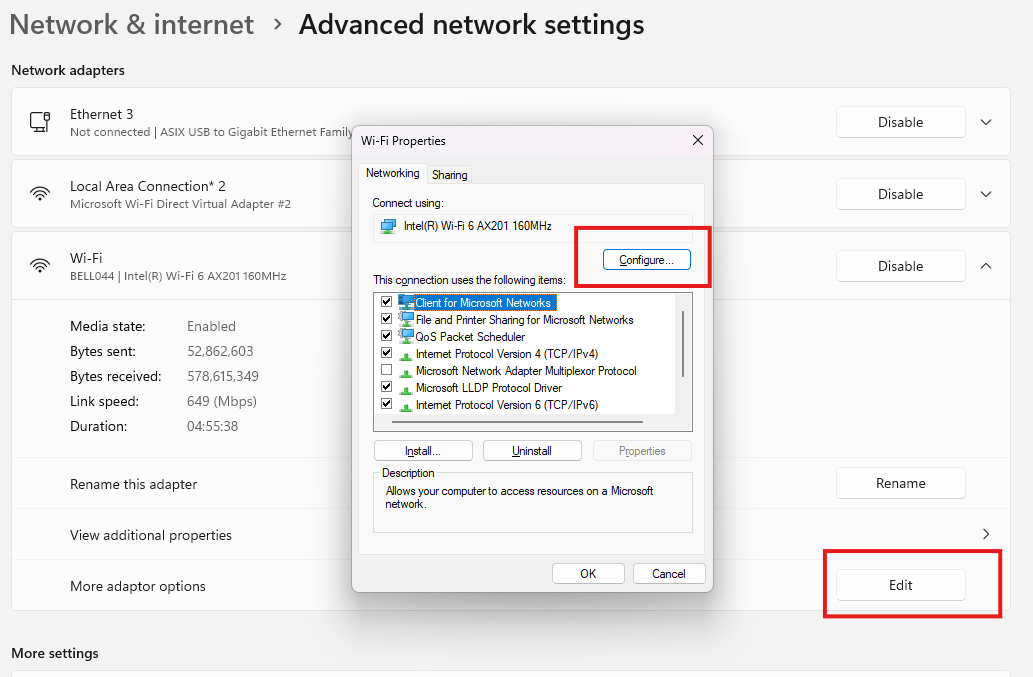
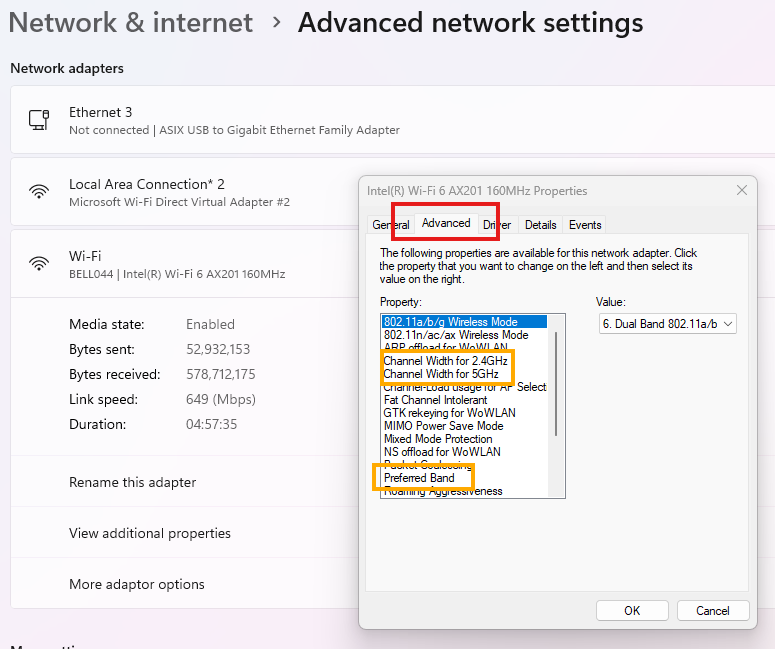
In this case the WiFi network card changed / stuck on 2.4GHz, and would give an Error that the network cannot use 5GHz.
Share and discuss the best content and new marketing ideas, build your professional profile and become a better marketer together.

Create an account today to enjoy exclusive features and engage with our awesome community!
Sign up| Related Posts | Replies | Views | Activity | |
|---|---|---|---|---|
|
Scanner not updating
Solved
|
|
1
May 26
|
83 |