I have exported the count from D365, created a new count in EzCount, and the scanner is connected to the Hotspot, but the scanner does not update. The WiFiServer application is not running in the task bar, and there is no antivirus stopping the WiFiServer from running.
Welcome!
Share and discuss the best content and new marketing ideas, build your professional profile and become a better marketer together.
This question has been flagged
1
Reply
83
Views

Disable Smart App Control In Windows
Standard Method
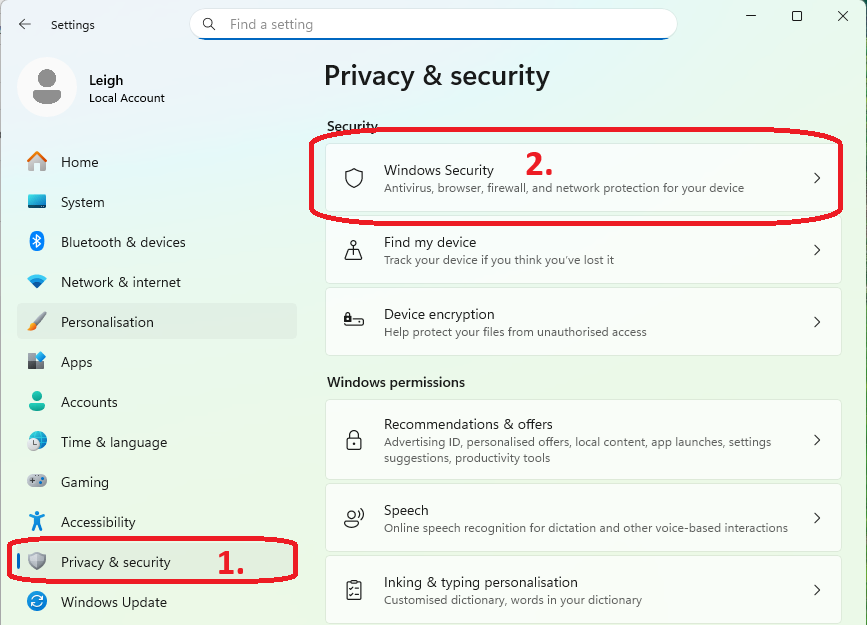
- Click the Start button, type Windows Security, and open the app.
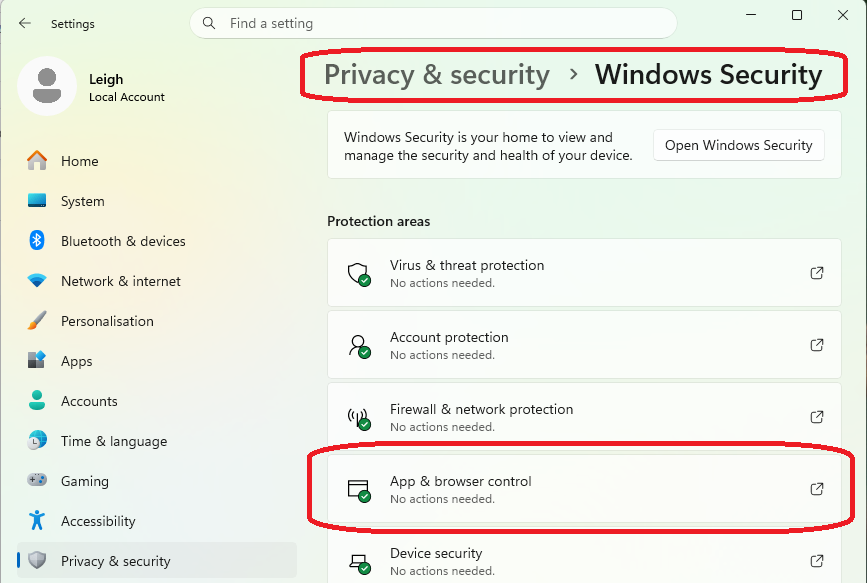
- Click on App & browser control.
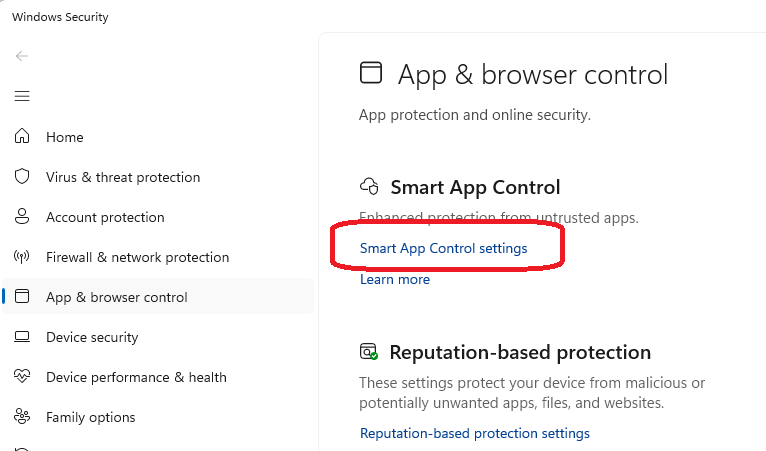
- Click the Smart App Control settings link.
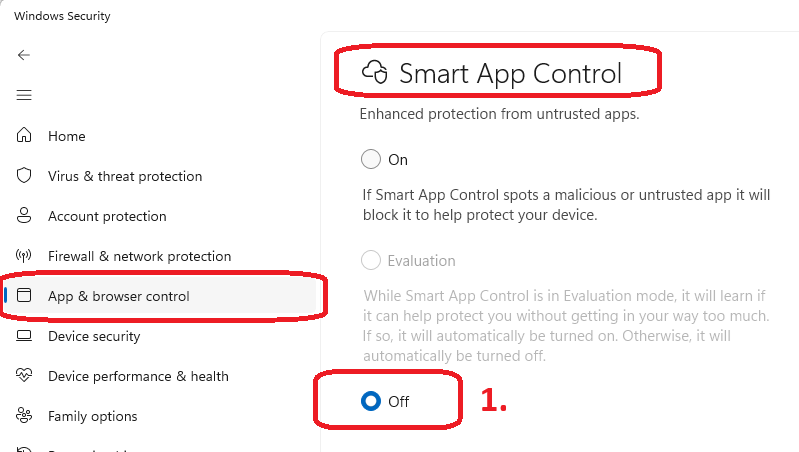
- Select Off.
- Confirm your choice by clicking Yes, I am sure
Enjoying the discussion? Don't just read, join in!
Create an account today to enjoy exclusive features and engage with our awesome community!
Sign up| Related Posts | Replies | Views | Activity | |
|---|---|---|---|---|
|
Hotspot not working
Solved
|
|
1
May 26
|
92 |