I have exported the count from D365, created a new count in EzCount, and the scanner is connected to the Hotspot, but the scanner does not update. The WiFiServer application is not running in the task bar, and there is no antivirus stopping the WiFiServer from running.
Bienvenue !
Partagez et discutez du meilleur contenu et des nouvelles idées de marketing, développez votre profil professionnel et devenez ensemble un meilleur spécialiste du marketing.
Cette question a été signalée
1
Répondre
74
Vues

Disable Smart App Control In Windows
Standard Method
- Click the Start button, type Windows Security, and open the app.
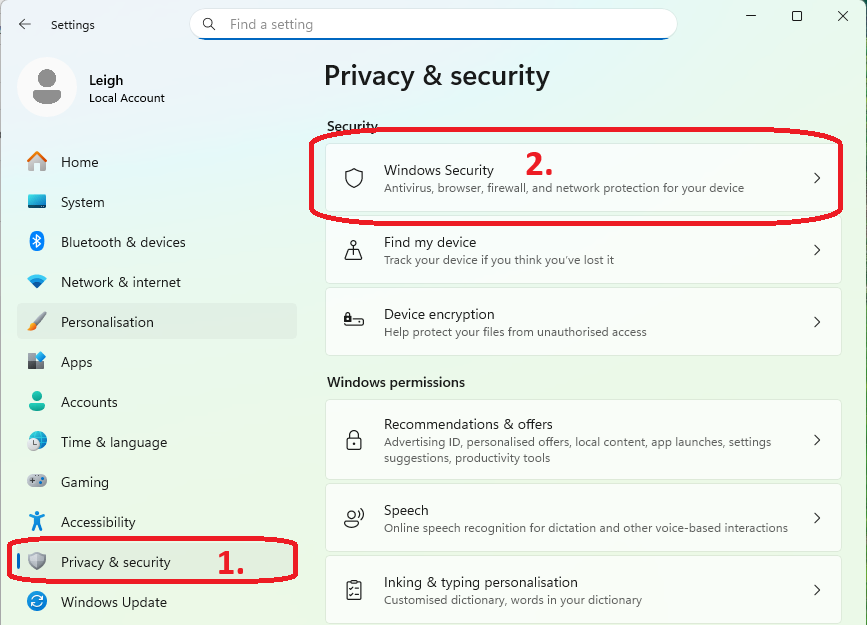
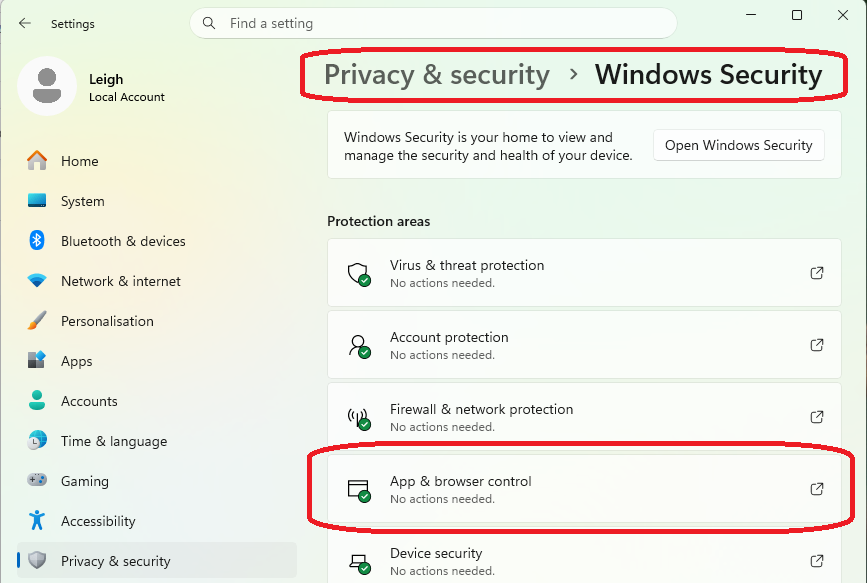
- Click on App & browser control.
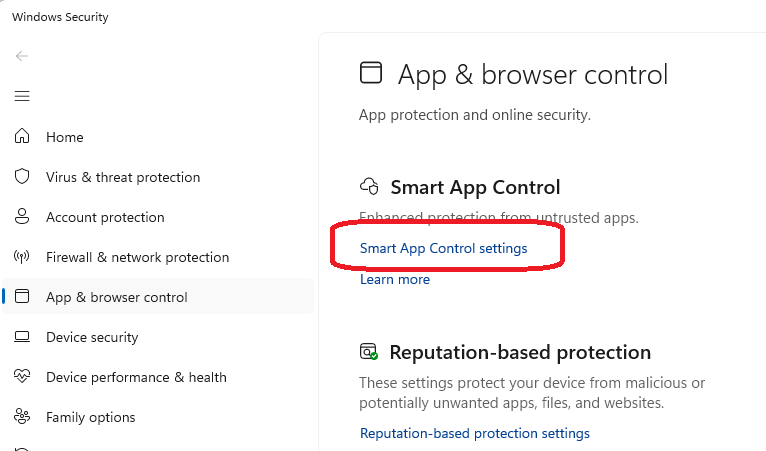
- Click the Smart App Control settings link.
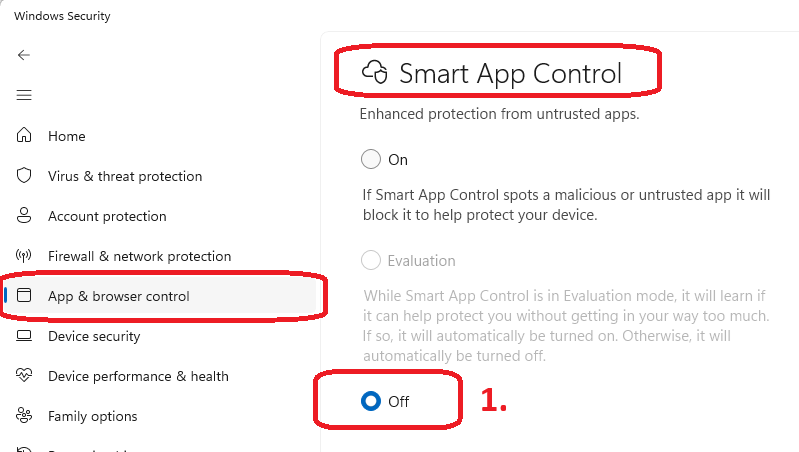
- Select Off.
- Confirm your choice by clicking Yes, I am sure
Vous appréciez la discussion ? Ne vous contentez pas de lire, rejoignez-nous !
Créez un compte dès aujourd'hui pour profiter de fonctionnalités exclusives et échanger avec notre formidable communauté !
S'inscrire| Publications associées | Réponses | Vues | Activité | |
|---|---|---|---|---|
|
Hotspot not working
Résolu
|
|
1
mai 26
|
84 |